먼저 둘러보실래요?

저희 팀원과 30분, 데모가 아니라 사장님 실제 근무표를 놓고 봅니다.

데모 예약
Payroll from the time clock

The hours your team clocks go straight into payroll, without anyone retyping them.

왜 Zon Staff
New: Zon Staff is now on the Wix App Market

근무표와 출퇴근 기록,
급여까지 한곳에.

Your team clocks in on a shared tablet at the counter or on their own phone — a browser and a four digit PIN, nothing for them to install. Come Friday the timesheet is sitting there, done, waiting for you to say yes.

4.9 5점 만점, Shopify App Store 기준 · 58 리뷰

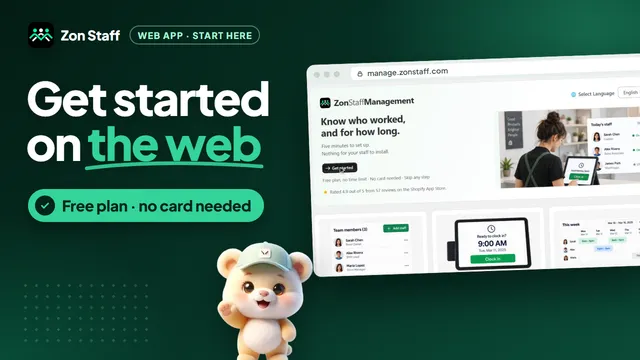
무료 요금제, 기간 제한 없음 카드 등록 필요 없음 설치는 5분이면 끝

출근
07:58
Breanna B. · PIN at the counter
manage.zonstaff.com / dashboard
좋은 아침이에요, David6월 17일 화요일 · 매장 4곳 영업 중
전체 직원
14
이번 달 6명 채용
출근
92%
14명 중 12명 근무 중
휴가
3
승인 대기
급여 준비 완료
$24,580
47 of 48 clocked out
June 202524주차
SMTWTFS 1234567 891011121314 15161718192021 22232425262728 293012345
출근 리포트이번 주
92% 지난주보다 7.1% 상승
MTWTFSS
오늘 매장 일정6월 17일
오픈 근무 · North and PineBreanna B., Deanna T. · 08:00~16:00
반기 면담 · 매장 팀Anthony S., David M. · 13:00
마감과 정산 · RiversideSerigo W. · 16:00~21:00
재고 입고 · HarbourMaya R. · 07:30
TimesheetWeek to Friday
BBBreanna B.38h 10m · 5 shiftsClocked out
DTDeanna T.31h 45m · 4 shiftsClocked out
ASAnthony S.27h 20m · 4 shiftsCheck break
SWSerigo W.40h 00m · 5 shiftsClocked out

일주일 전체가
four things to do

Every one of these used to be a separate tab, a separate app, or a sheet of paper taped up behind the counter.

01

일요일 밤에 근무표를 짭니다

Add shifts on the weekly grid, with each location in its own colour and everyone's availability and time off in view. When the week works, copy it forward instead of starting again.

Weekly gridCopy a week서비스 제공Time off on the schedule
6월 16일 주14명에게 게시됨
직원월화수목금토
Breanna B.9~179~17휴무12~209~179~15
Deanna T.휴무10~1810~1810~18휴가11~19
Anthony S.12~20휴무9~179~1712~20휴무
Serigo W.8~168~168~16휴무8~168~14
Maya R.11~1911~1911~19휴무휴무10~18
02

Staff clock in on the tablet

They tap Clock In/Out on the counter tablet, type their four digit PIN, and they're on. Breaks get counted for them. If you run more than one shop, the Dashboard shows who is clocked in at each one, so you can stop ringing round to ask who turned up.

Any browserKiosk modeBreak tracking셀피 선택
실시간 현황방금 업데이트됨
근무 중
12
정시
휴게 중
2
1명 30분 초과
미출근
0
확인할 것 없음
BBBreanna ButlerNorth and Pine · 07:58 출근6h 12m
DTDeanna TurnerRiverside · 08:04 출근5h 48m
ASAnthony SmithNorth and Pine · 13:10 휴게32 min
SWSerigo WilliamsHarbour · 09:02 출근6h 30m
03

See every hour in one place

Each person's clock ins, breaks and daily totals sit on their record. Someone forgot to clock out? Add the time yourself, or add a manual entry, and staff can leave you a note when they clock out.

Daily recordsEdit clock timesManual entriesClock-out notes
근무 기록 · 24주차47 of 48 clocked out
직원예정실근무휴게상태
Breanna B.40.0 h38.5 h2.5 hClocked out
Deanna T.32.0 h32.0 h2.0 hClocked out
Anthony S.38.0 h41.5 h2.5 hClocked out
Serigo W.40.0 h40.0 h2.5 hClocked out
Maya R.24.0 h24.5 h1.5 h근무 중
04

Payroll comes out of the hours they worked

Tracked hours turn into a payroll run with the breaks, tax settings and everyone's rate already worked out. Export it to Excel for whoever pays your team, and record what you paid. Either way you aren't sitting up retyping numbers.

Hourly, weekly, monthlyBreak deductionExcel exportPayment history
Payroll · 16 to 22 JuneFrom clocked hours
총액
$24,580
48 staff
Breaks
61h
deducted
Hours this week
486
14명 중 12명 근무 중
직원시간시급합계
Breanna B.38.5$22.00$847.00
Deanna T.32.0$21.50$688.00
Anthony S.41.5$20.00$830.00
Serigo W.40.0$24.00$960.00
6월 17일 화요일
안녕하세요, Breanna
06:42
17:00 퇴근
다음 근무수
09:00~17:00North and Pine · 매장
이번 주38.5 h
휴가 신청

Why choose
Zon Staff

  1. 01

    Nothing for staff to install

    The clock-in page is a browser link and a four digit PIN. No app, no account for them to make, no password for you to reset on a Saturday.

  2. 02

    A photo on the punch

    Turn it on and every clock in stores a picture with the record, so who pressed the button stops being a matter of opinion.

  3. 03

    Staff cannot edit their own hours

    Clocking in, out and on to a break is all they can do. Only you and your admins can change a time, so the record can't be edited by the person it belongs to.

  4. 04

    Nine languages

    The manager screens and the staff screens both, so the person clocking in reads it in their own language and nobody needs it explained twice.

동영상 튜토리얼

처음부터 끝까지 설정 과정을 확인하세요

웹용 Zon Staff를 다룬 짧은 영상 5개로 가입부터 급여까지 안내합니다. 각 영상은 2분이 넘지 않으며, 영어 음성에 자막이 제공됩니다.

Start on the web,
or from a store you already use

Each route is its own account, billed where you sign up. Your staff clock in the same way on all of them, with a four digit PIN.

What owners say,
in their own words

4.9
5점 만점, Shopify App Store 기준
별 다섯 개 리뷰10개 중 9개
58리뷰
지금까지
전체 보기

직원 관리와 업무 관리에 정말 강력한 앱이에요. 근태, 리포트, 업무 추적, 급여까지 다 됩니다. 고객 지원은 늘 놀라울 정도예요.

JP
JustLikePapaSouth Africa

작은 매장에 딱 필요했던 출퇴근 기록과 급여 관리 시스템입니다. 고객 지원도 훌륭해요.

IC
Iviana and Co.United States

근무표 관리와 근무 시간 기록을 한곳에서 할 수 있는 좋은 앱입니다. POS 연동이 매끄럽고 직원들이 출근 찍기도 쉬워요.

GC
Gulf CarePakistan

직원 근무표 짜기에 쓰기 편합니다. 지원팀도 친절하고 피드백에 잘 응답해 줘요.

ML
My Local BoutiqueUnited States

직원 관리에 아주 쓰기 편합니다. 특히 셀피 출근 기능이 마음에 들어요. 강력 추천합니다.

VK
V's KitchenUnited States

고객 지원이 정말 세심합니다. 사람이 직접 응대해 줘요.

MB
Maya's BrigadeiroUnited States

앱이 아주 직관적이고 쓰기 쉽습니다. 채팅 응답도 빠르고 도움이 됐어요.

FS
Full Sun GiftsUnited States

앱 사용도, 전화 지원도 훌륭했습니다.

KX
KmXtend Hair ExtensionsUnited States

지원팀을 통해 아주 빠르게 도움을 받았습니다.

TM
Toomey's Mardi GrasUnited States

Priced by the size of your team.
Nothing hidden.

Each plan covers a number of people. Go past it and the extra staff are $5, $4 or $2 a month each, depending on the plan.

스타터

혼자 일하시고, 근무 시간만 제대로 남겨 두고 싶은 경우.

무료무료

Forever, no card needed

Start free

Already on Shopify? Install from the App Store


  • 직원 1명
  • Clock in and out in any browser
  • 근무 일정 관리
  • 이메일 지원
스몰 비즈니스

매장 하나에, 실제로 급여를 주는 직원 몇 명.

$24.99/월$19.99/월

Plus $5 per extra paid employee

Billed $239.90 annually

About $5.00 per staff member per monthAbout $4.00 per staff member per month

Save $59.98 a year

시작하기

Already on Shopify? Install from the App Store


  • 직원 5명까지
  • PIN clock in on a shared tablet or a phone
  • Photo capture on the punch
  • Breaks and timesheets
  • 급여 관리
  • 업무 목록
  • 상세 리포트
  • 실시간 채팅 지원
엔터프라이즈

매장 여러 곳, 직원 여러 명, 숫자는 하나로.

$199.99/월$159.99/월

유료 직원 추가 시 1명당 $2

Billed $1,919.90 annually

About $2.00 per staff member per monthAbout $1.60 per staff member per month

Save $479.98 a year

시작하기

Already on Shopify? Install from the App Store


  • 직원 100명까지
  • Everything in Workforce
  • Photo verification on every punch
  • GPS location on the record
  • All your locations on one dashboard
  • 전담 지원 담당자
Billed in USD, monthly or yearly Change or cancel your plan whenever you need to 직원이 늘거나 줄면 언제든 요금제 변경 No Shopify store? Run it on its own at manage.zonstaff.com
Rather pay once? Zon Staff on the web is on AppSumo as a lifetime deal, from $69 for 1 store location and up to 10 staff members.
See the lifetime deal

가장 먼저 묻는 것들

No. The POS is the quickest way to do it, since the till is sitting there anyway, but your team can clock in from any browser — a shared tablet at the counter, an old phone by the door, or their own. They open a link and type a four digit PIN. There is nothing for them to install and no account for them to make.
About five minutes. Sign up, add your team, put your pay rates in and publish the first week. If you install from the Shopify App Store instead, your existing Shopify staff come across on their own, so there is no list to type out.
No. Staff can clock in and out, take breaks and check their own timesheet with their PIN. Changing a time is done by you in the admin, and staff can leave you a note when they clock out if something went wrong.
Yes. Add each shop as a location, choose which locations each person works at, and schedule them all on the same weekly grid, each in its own colour. The Dashboard shows who is clocked in at each location.
You can export timesheets, payroll history and staff records to CSV whenever you like. Once you uninstall or close the account we hold the records for 30 days in case you come back, then delete them. The full detail is in the privacy policy.
Yes, properly free. Starter covers one staff member with browser clock in and scheduling, with no time limit and no card on file. Move up the day your second hire starts, and not before that.
Payroll exports as a spreadsheet that any payroll provider or accountant can work from. There is no direct connection into a payroll product yet, so tell support which one you use and we will put it on the list.
Start free

찾으시는 답이 없나요?

지원팀에 문의